Senior Portraits
Completion requirements
Opened: Thursday, 7 June 2012, 5:40 PM
Due: Sunday, 1 July 2012, 5:40 PM
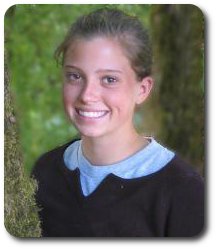 Senior Portraits Senior Portraits Can you create a portrait this good? John L. took this photo of Alex when she was a freshman. Every year seniors spend money on senior portraits. Why not have your photo class take these portraits and direct some of that money to a good cause, or perhaps some lighting gear for your photo class? Assignment: Work with some seniors and arrange a photo shoot. It's OK to work in teams and help each other. Think about possible locations around your school and community. Consider environmental portraits and use the gym, track, and music room, maybe even the local pizza shop! Your goal is to create an awesome senior portrait, one good enough that the seniors will pay for. Upload one photograph or slideshow with a reflection for this assignment. Advice: Think about your setting. One of my son's best senior photos was taken with him next to his beloved car, a Saab Turbo. Portraits that make a statement about the subject with props and background are called environmental portraits. They can be fun and offer a more personalized option to your client. 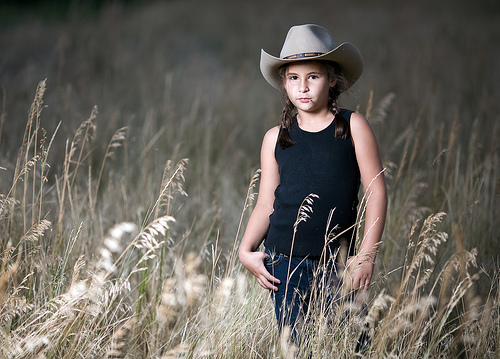 Don't write off the traditional portrait though. Here are some tips to getting a nice blurred background:
[Read more: 9 Tips for Getting Backgrounds Right - from Digital-Photography-School.com] This photo from Dustin Diaz's photostream on Flickr used a 200mm lens at f/2 to get the nice blurred background. Note that the background was also far away which helps too. USE A TRIPOD - There is nothing worse than a great photo ruined by camera shake.
|